
By Kai Novak, Founder
What is the best way to track your job applications?
Track every job application in one place with a saved copy of the posting, the date you applied, your contacts, a status and a next-step date. Here is a simple system.
The best way to track job applications is one list you actually update, with a row per application. Each row should hold the company, the role, a saved copy of the posting, the date you applied, the resume version you sent, your contacts, a status, and the date of your next step. A spreadsheet works. So does a dedicated tracker. The habit matters more than the tool.
Updated .
A job search produces a lot of small facts that are easy to lose. Which resume did you send to that company? Who did you talk to? When did you say you would follow up? A tracker answers those questions in seconds, so you can spend your time on the next application instead of searching your inbox.
What should a job application tracker include?
A tracker should include enough to rebuild the whole application from one row: the job, the company, what you sent, who you spoke to, and what happens next. Anything less leaves you searching email when a recruiter calls.
Cornell's Career Services publishes a free application spreadsheet. Its correspondence columns cover “date applied, date of interview, thank-you notes sent, follow-up emails/calls”. Source checked October 19, 2026. The same template also has room for company details, job details, application details and contacts.
A practical version has these columns:
- Company: The employer's name and website.
- Role: The job title exactly as the posting wrote it.
- Posting: A saved copy of the full job description, not only the link.
- Applied: The date you submitted, plus the deadline if there was one.
- Version: Which resume and cover letter you sent.
- Contacts: Recruiters, hiring managers or referrals, with how you met them.
- Status: One word from a short, fixed list.
- Next step: What you will do next, and the date you will do it.
Keep the list of statuses short, such as Saved, Applied, Interviewing, Offer and Closed. If a status needs a sentence to explain it, put the sentence in a notes column instead.
Why should you save a copy of every job posting?
Save the full posting because the link may stop working after the deadline. You may still need the text weeks later, when an interview invitation arrives.
The University of Minnesota's career services team advises: “Save a copy of every posting you apply to”. The same page explains that the web page URL will likely disappear after the application deadline. Source checked October 19, 2026.
Paste the text into a document, or save the page as a PDF, and link that file from your tracker row. When an interview invitation arrives, you can reread the exact requirements you applied against. That copy is also what you need to research the company before the interview and to pick the right examples from your background.
Should you use a spreadsheet or a job tracker app?
Use whichever one you will open every day. A spreadsheet is free, flexible and easy to sort. A dedicated tracker can save typing by filling in rows for you. Neither one helps if you stop updating it.
A spreadsheet suits you if you like to choose your own columns and want everything in one file. University career centers offer ready-made templates. The University of Rochester, for example, offers a Job Application & Networking Tracker in Google Sheets and Excel versions. Source checked October 19, 2026.
A dedicated tracker suits you if you already do most of your applying inside one tool. The question to ask is how much typing it saves you and whether you can still see everything in one list.
Whatever you choose, avoid splitting your search across several places. A list in your notes app, a few starred emails and a spreadsheet you update on weekends will drift apart. One source of truth is the whole point.
How do you keep a job tracker up to date?
Update the row at the moment something happens, not later. Add the row before you hit submit, and change the status the same day you hear back.
Small habits keep the list honest:
- Add the row first. Create the row and save the posting before you start the application.
- Log every contact. Write down names and dates right after a call or message.
- Set the next step every time. A row with no next-step date tends to be forgotten.
- Review it on a fixed day. Once a week, scan for rows with a next-step date that has passed.
- Close rows on purpose. When a role is filled or you withdraw, mark it Closed so it stops asking for attention.
How should you track follow-ups and networking?
Give every follow-up a date in the tracker, and log the people you talk to as well as the jobs you apply for. Many useful conversations happen before or alongside an application.
Rochester's career education center describes its tracker as a way to stay organized “as you manage applications, follow up with contacts, and keep track of your networking progress”. Source checked October 19, 2026. That is a useful model: one list for applications, and either a second tab or extra columns for people.
For each contact, note how you met, what you discussed and what you promised to send. When you follow up, mention something specific from that conversation. Advice on how long to wait before following up varies by employer and stage, so set a date that fits the situation and write it down. The written date is what stops a promising lead from going quiet because you forgot about it.
Where does your resume version fit in?
Record which resume you sent to each employer, because it is the document the interviewer will have in front of them. If you tailor your resume to each posting, this column matters even more.
Before an interview, reread the version you sent alongside the saved posting. You want to talk about the same examples your interviewer has already read. If you are deciding whether tailoring is worth the effort at all, see does resume tailoring actually work.
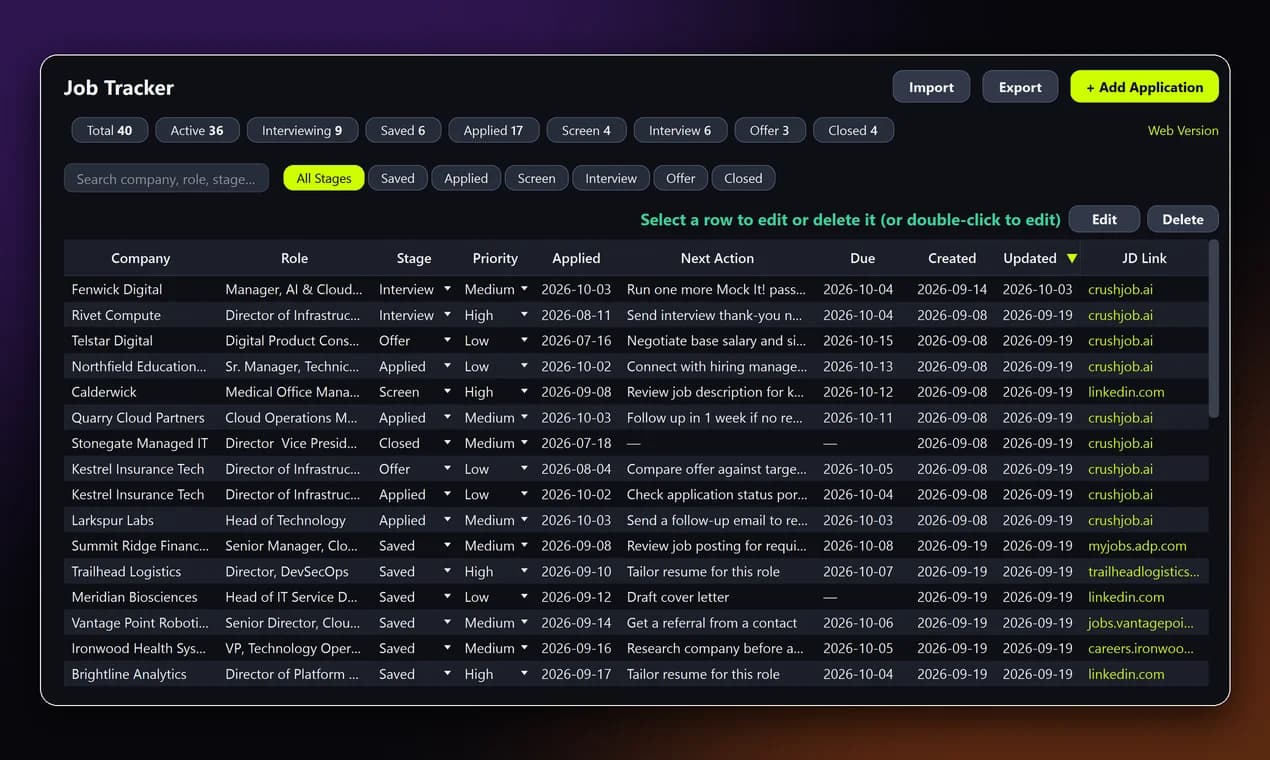
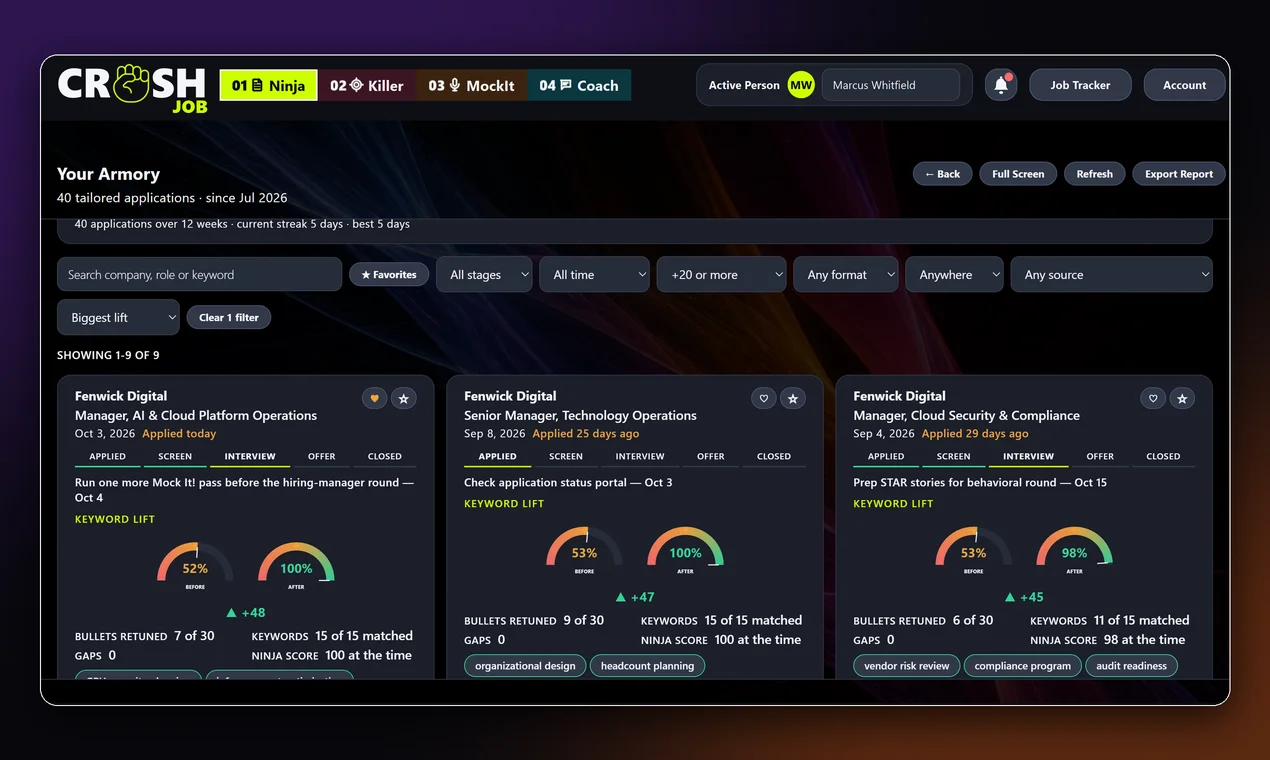
Crush Job's desktop app includes an application tracker alongside Rezi Ninja, the module that tailors your resume to a posting. If you cancel a paid plan, you keep your application tracker. A spreadsheet will do the same core job if you keep it current.
What else should you know about tracking job applications?
- What is the best way to track job applications?
- Keep one list with a row per application. Record the company, role, a saved copy of the posting, the date you applied, the resume version you sent, your contacts, a status and the date of your next step, and update it the day anything changes.
- What columns should a job application spreadsheet have?
- At minimum: company, role, a link to a saved copy of the posting, date applied, resume version, contacts, status and next step with a date. Add a notes column for anything that does not fit a fixed status.
- Why save the job description if I have the link?
- A posting's web page can disappear after the application deadline, and you may hear back after that. A saved copy lets you reread the exact requirements before you talk to the employer.
- Is a spreadsheet good enough to track a job search?
- Yes. A spreadsheet you update every day works better than a dedicated tool you forget to open. Choose a dedicated tracker only if it saves you typing or keeps your documents attached to each job.
- Does Crush Job include an application tracker?
- Yes. Crush Job's desktop app includes an application tracker, and if you cancel a paid plan you keep it.
Tailor each application and keep it all in one place. See the plans on the pricing page, including the Free plan, which needs no card.
Get notified about new posts and features
We'll email you when we publish something like this, or ship a new feature. No spam, unsubscribe anytime.